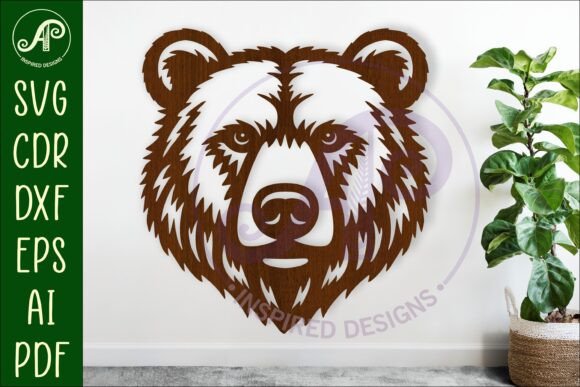
Bear Face Wall Art Sign: A Versatile SVG File
Instantly add a touch of rustic charm or woodland whimsy to your next project with this detailed Bear Face Wall Art Sign, SVG File. This digital download is more than just a simple graphic; it's a complete, ready-to-cut design asset perfect for crafters, makers, and DIY enthusiasts. The design features a striking bear face profile, meticulously crafted as a cut-out wall art sign, making it an excellent choice for creating personalized home decor, unique gifts, or eye-catching merchandise.
This versatile design is saved as a laser cut file, ready for your favorite machine. Whether you use a laser cutter, CNC router, or a craft machine like a Cricut or Silhouette, this file is optimized for a smooth workflow. The package includes the design in multiple formats: SVG, DXF, AI, filled SVG, PDF, and CDR. This ensures compatibility with nearly any design software or machine you own. The recommended cut size is between 25 to 50cm tall, but the vector nature of the files means you can scale it to any dimension without losing quality, making it adaptable for everything from small ornaments to large statement pieces.
Creative Projects and Design Flexibility
The applications for this bear face design are vast. Its clean lines and bold silhouette make it suitable for a wide range of creative endeavors. Consider using it to craft:
- Home Decor: Create a stunning wooden or acrylic wall hanging for a cabin, nursery, or living room.
- Personalized Gifts: Cut the sign from different materials like plywood, MDF, or even leather to make custom keychains, ornaments, or plaque signs for nature lovers.
- Small Business Merchandise: Design and sell finished products like rustic coasters, decorative plaques, or unique signage at craft fairs or online shops.
- Event Decor: Use it for themed parties, rustic weddings, or community events to create memorable centerpieces or directional signs.
The design's flexibility is key. The download includes a version with exterior cut lines in blue, which is a huge time-saver for laser users, allowing for easy file setup. For other craft machines, a solid image version is also provided. This thoughtful preparation helps you move from download to finished project with minimal hassle.
Tips for a Successful Project
To get the best results from your digital download, keep a few practical tips in mind. First, always test cut a small version of the design on scrap material to fine-tune your machine's settings for speed and power. This is especially important when moving between different material thicknesses like 3mm plywood versus 6mm MDF.
Second, think about the material and finish. A simple wood stain can highlight the natural grain for a rustic look, while painting the cut-out in a bold color against a contrasting background can create a more modern, graphic feel. The design's simplicity is its strength, allowing the material and your personal touch to define the final aesthetic.
Finally, remember this is a digital download