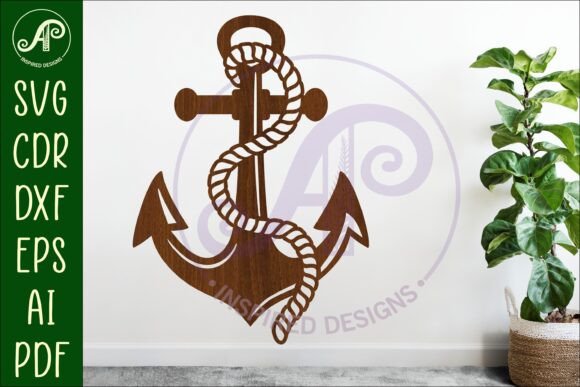
Anchor Cut out Wall Sign Svg Laser Cut
Instantly elevate your space with a touch of nautical charm using the Anchor Cut out Wall Sign Svg Laser Cut. This digital download provides a complete set of laser-ready files, making it a breeze for creators to craft a beautiful, dimensional wall sign. It's a perfect starting point for adding a handmade, professional feel to any room or project.
This isn't just a simple image; it's a thoughtfully designed asset for makers. The design is formatted at 25cm (10 inches) wide but can be easily resized to fit your needs. The files include clear exterior cut lines in blue, specifically optimized for use with a Glowforge or other laser cutters, ensuring a smooth and intuitive workflow from digital file to physical piece.
What's Inside Your Digital Download
Upon purchase, you'll instantly receive a zip folder containing your design files. This ensures you can get started on your project right away. The package is designed for versatility across different machines and software.
- SVG & AI Files: Ideal for most laser cutters and vector editing software.
- DXF File: A widely compatible format for CNC routers and CAD programs.
- PDF File: Useful for reference or for use with certain cutting machines.
- CDR File: A native file for CorelDraw software users.
Creative Uses for Your Anchor Design
The beauty of this vector file is its flexibility. While perfect for a standalone wall sign, the anchor motif can be integrated into a wider range of creative projects, acting as a core design asset for your brand or personal creations.
Consider using the cut file to create layered wooden signs for a coastal-themed nursery or bathroom. It can also be scaled down to make elegant charms for jewelry, decorative elements for furniture, or unique stencils for painting on canvas tote bags and pillows. For those in the digital space, the clean vector lines are excellent for creating logo elements, social media graphics, or website icons with a rustic, artisanal aesthetic.
Tips for a Successful Project
To get the best results, start by considering your material. Wood, acrylic, and even sturdy cardboard can produce fantastic results, each offering a different texture and finish. Before finalizing your size, do a test cut on a scrap piece to ensure your machine's settings are dialed in perfectly for a clean cut.
Think about the final presentation. Will you paint the pieces, apply a wood stain, or layer different colored materials for a multi-dimensional effect? Planning your color scheme and finish beforehand can turn a simple cut file into a truly custom piece of art. This design is a wonderful example of how modern typography and classic symbols can merge to create something both timeless and contemporary.
Choosing a well-crafted digital design file like this one saves time and provides a reliable foundation for your creativity. It bridges the gap between a digital concept and a tangible, polished product, allowing you to focus on the fun part—the making and the personal touch that makes each project unique.